 Dads Journey
It's 11:55 at night. The house is finally quiet. My phone says the battery's at 66% and I've got a hundred things I should be doing, but I'm sitting here staring at my kid sleeping and feeling something so big I don't have the words for it.
So I open the app and I write it down anyway.
The photos were never the problem
Here's the thing nobody warns you about as a new dad: you take a thousand photos. Your camera roll fills up faster than you can back it up. First bath, first onesie that actually fits, that face they make right before a sneeze. You've got all of it.
But a year later you scroll back through those photos and you can't remember what you were feeling that day. The picture's right there, but the moment behind it is gone. And it turns out the moment is the part I actually wanted to keep.
That's the gap. We're great at capturing what our kids looked like. We're terrible at capturing what it felt like to be their dad in that exact minute.
What the Memory feature actually is
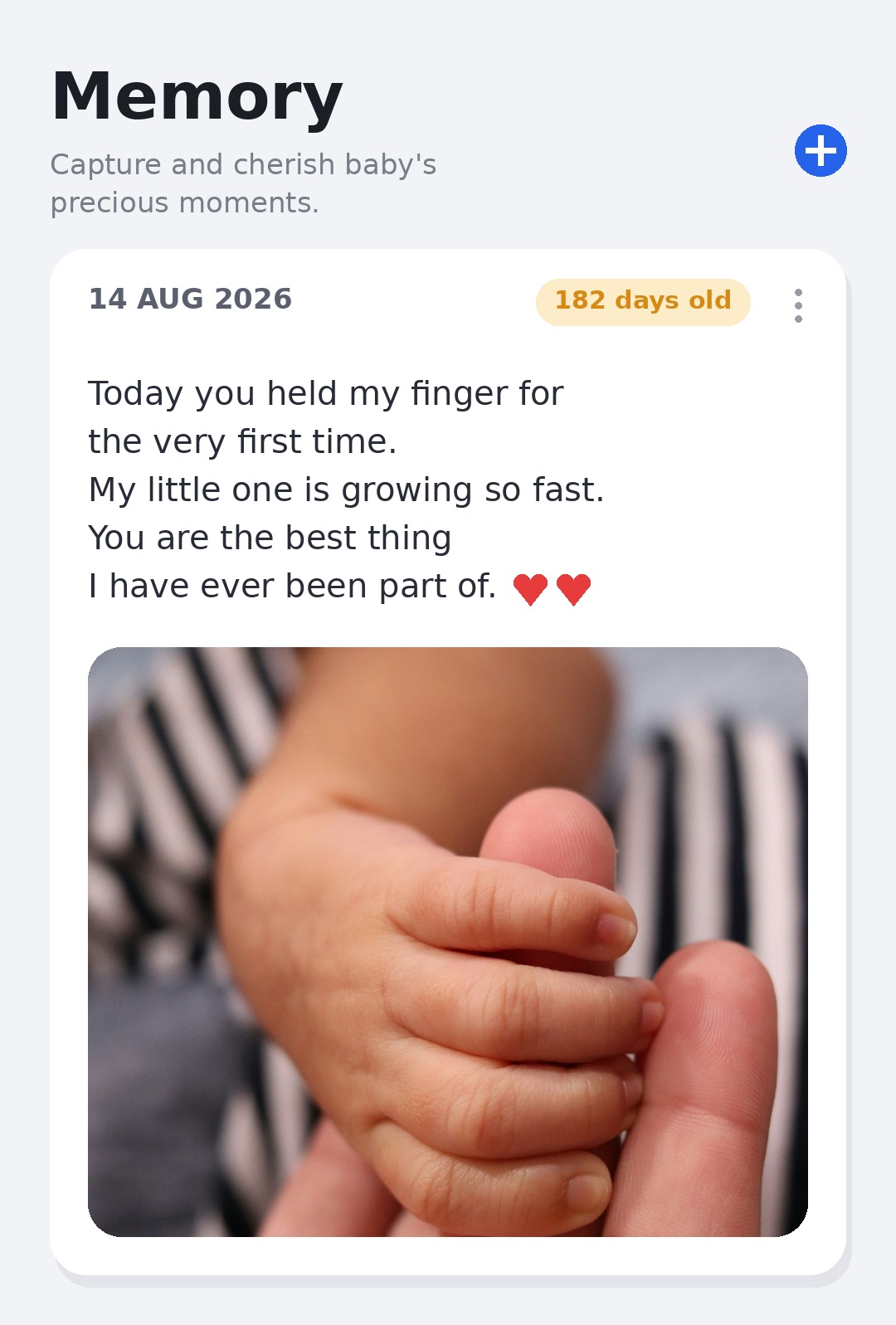
Inside Dad's Journey there's a tab called Memory, and the tagline underneath it just says "Capture and cherish baby's precious moments." Simple. But it's quietly become the thing I open most.
It's a dad journal. You write a letter, a thought, whatever's in your head right that second — addressed to your kid, like you're talking to the future version of them who can actually read it. You can drop in a photo. You can record a voice note when your hands are full and your brain is fried. And every entry stamps itself with the date and exactly how many days old they were.
That last part gets me every time. Last night's entry said the baby was 157 days old. I didn't do that math. The app just knew, and somehow seeing the number made the whole thing feel more real.
Here's roughly what one of mine looked like:
Today you grabbed my finger and wouldn't let go. I don't know if you'll remember any of this. But I will. You looked right at me like you'd figured something out, and I swear my whole chest went warm. You are the best thing I've ever been part of. ❤️
That's it. Thirty seconds. But it's mine, and one day it'll be theirs.
How it fits into an actual, exhausting day
I'm not journaling like some calm guy with a leather notebook and a cup of tea. I'm doing it in the cracks.
There's a quiet stretch during a feed — I type a line. Something funny happens at 3am and I'm too tired to write, so I hold the phone up and just talk into it for twenty seconds. A hard day where I felt like I had no idea what I was doing — I write that down too, because I want the honest record, not the highlight reel.
The photos live in your camera roll. The feelings live here. And you can add a photo to an entry when the moment deserves one, so the two finally sit together in the same place.
Why this one feature changed how I show up
I didn't expect an app feature to make me a more present dad, but this one did. Knowing I might write about a moment later makes me actually notice it while it's happening. I look up from my phone more. I catch the small stuff.
And there's the long game. Somewhere down the line — a birthday, a graduation, a random hard week when they're grown and need to know they were loved from day one — my kid is going to open this and read what their dad was thinking before they could even hold their own head up. That's not a feature. That's a time capsule. That's me, on the record, telling them exactly how much.
Start with one line tonight
You don't need to be a writer. You don't need the perfect moment. Open the Memory tab, tap the plus, and write one sentence to your kid before you go to sleep.
The letter you write tonight — half-asleep, phone at 66%, no idea what you're doing — is probably the one they'll treasure most.